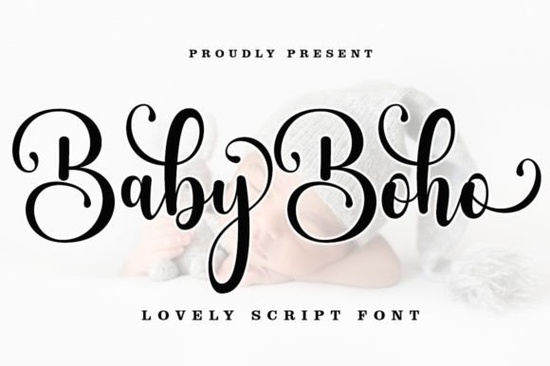
When you start working on creative projects like wedding stationery or print-on-demand merchandise, finding the right handwriting style takes real effort. You need something that feels authentic but remains easy to read at any size. That is where Baby Boho Font fits into the picture for many designers today. It offers a modern take on traditional calligraphy, blending casual strokes with beautiful swashes. Whether you are working on a new brand identity or a personal scrapbook, this script offers the balance needed for professional results.
The design includes a standard weight option that flows easily across paragraphs while keeping its personality intact. Many users find the character set sufficient for most common text blocks. Because it allows you to mix it with clean sans-serif types effectively, the versatility makes it a staple in many libraries. However, knowing how to access special symbols can sometimes slow down workflow without the right setup.
How do I access the extra characters?
This file uses the Private Use Area (PUA) of the Unicode standard. This technical detail is actually good news for anyone managing multiple applications because it avoids needing specialized software plugins to see the extra glyphs. Once the font is installed, Mac users can simply open the Font Book to browse through the included swashes and alternates. On Windows, opening the Character Map utility lets you view and copy any additional characters directly into your favorite text editor.
You won't need to hunt down complex code strings to insert these elements either. Just select the character from the map and paste it where needed. This straightforward approach saves hours of troubleshooting when you are stuck on a deadline. It ensures that your final output looks consistent whether it appears on a digital screen or a physical product.
What kind of designs benefit from this script?
- Wedding Invitations: The soft curves work beautifully for formal events, creating an inviting tone.
- Logo Creation: Small business owners often use it to humanize their brand mark.
- Product Labels: Packaging for handmade goods, such as candles or soaps, gains a boutique appeal.
- Book Covers: Fiction titles particularly suit this artistic flair.
If you are planning a themed event, you might want to pair this selection with romantic accents. For instance, looking at designs focused on love and connection provides great contrast when you need bold statements amidst softer typography. Similarly, checking out scripts with distinct movement can help you diversify a single marketing campaign. These combinations allow you to keep a cohesive visual language while avoiding monotony.
Many entrepreneurs also consider modern casual styles when trying to appeal to younger demographics on social media feeds. Mixing these textures helps prevent your layout from looking too rigid. It adds that layer of spontaneity that customers associate with genuine creativity.
Is this suitable for commercial use?
Before purchasing any assets for resale, it is important to verify the license terms associated with your specific download. For broader context on market availability, you can explore Baby Boho Script directly on the marketplace to understand the current offerings. Generally, scripts like this come with specific allowances regarding end products. Some licenses permit unlimited digital sales, while others restrict physical quantities. Always read the fine print before committing to a large production run.
How should I install this on my computer?
Installation is typically simple, though steps vary slightly between operating systems. Downloaded files usually arrive as a ZIP folder. You will extract the contents, which typically include TTF or OTF versions of the typeface. Right-click the file and select Install for Windows, or double-click to add it to your library on macOS. Once completed, restart your design application to ensure the preview updates correctly. If you encounter issues, try verifying that the version you downloaded matches your system architecture.
Sometimes older versions of editing software struggle with certain encoding formats. If you see question marks or missing shapes, updating to the latest stable release often resolves display errors. Keeping your software current minimizes friction during the creative process.
Are there similar styles worth considering?
If you prefer a slightly more vintage vibe, examining classical serif options might inspire a unique direction. These alternatives share the elegance required for high-end editorial work. However, if you want something lighter for children's products, sticking with the softer edges of the boho collection remains the safest bet.
Finally, always test your text at various sizes before printing. A script that looks perfect at a logo scale might become difficult to decipher on a bottle label. Previewing the design on mockups gives you confidence in the final delivery. Ensuring readability is the hallmark of a successful project.
Pre-launch Typography Checklist
- Verify License: Confirm permitted commercial usage limits.
- Test Install: Ensure the file installs cleanly on both Mac and PC environments.
- Check Characters: Open Character Map to confirm special glyphs load properly.
- Mockup Test: Apply text to actual product dimensions to check legibility.
- Save Presets: Save your preferred font settings as presets for future projects.
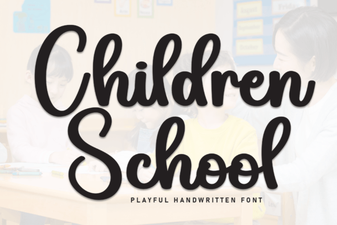 Choosing the Right Font for Children's Educational Projects
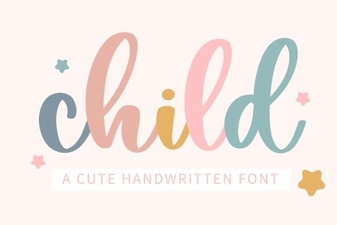 Fonts for Children's Projects and Designs
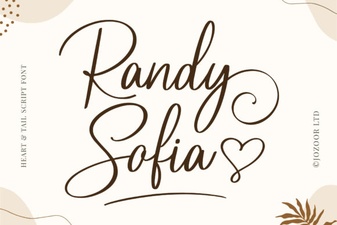 Randy Sofia Font for Elegant Design Projects
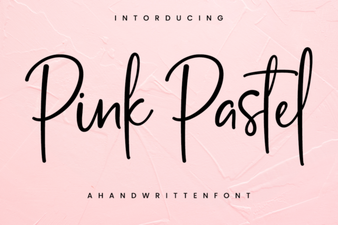 Inspirational Pink Pastel Font Design Ideas
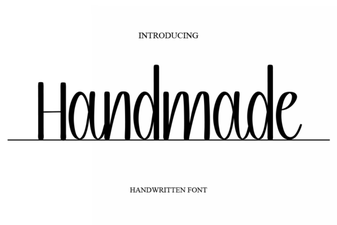 Crafting Unique Projects with Handmade Fonts
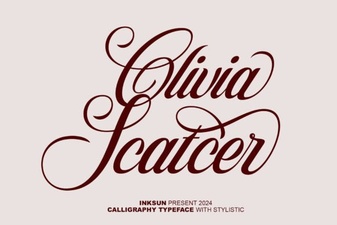 Olivia Scatter Font for Creative Design Projects